
时间:2021-07-01 10:21:17 帮助过:4人阅读
这个容器用了百分比宽度,图片始终保持居中处理,定宽或者自适应宽度都是可以的。
兼容到IE6+以上浏览器,有淡出淡入速度和切换间隔两个参数可以改。
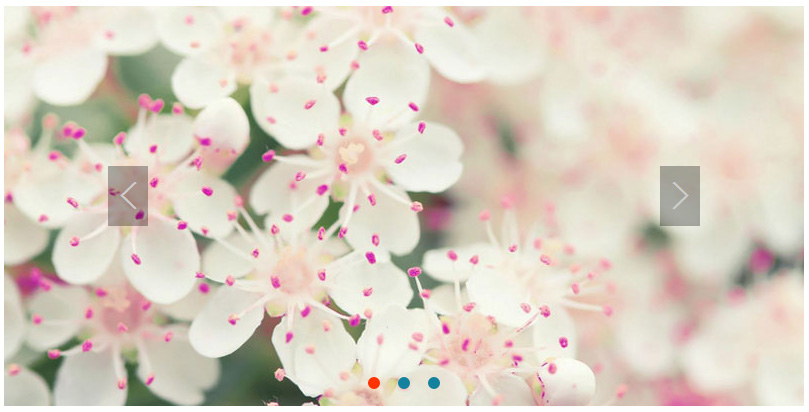
运行效果截图如下:
具体代码如下:
Html代码如下:
淡出淡入焦点图
Css样式如下:
@charset "utf-8";
/* 简单reset */
body, p, ul, ol, li {
  margin: 0;
  padding: 0;
}
ul, ol {
  list-style: none;
}
img { border:none; }
a,button{ outline: none; }
.clearfix:after {
  visibility: hidden;
  display: block;
  font-size: 0;
  content: " ";
  clear: both;
  height: 0;
}
/* 具体样式 */
.banner { height: 400px; }
.banner .bannerCon {
  position: relative;
  width: 60%;
  height: 100%;
  margin: 0 auto;
  overflow: hidden;
}
.bannerCon .imgList {
  width: 100%;
  height: 100%;
}
.bannerCon .imgList li {
  display: none;
  position: absolute;
  top: 0;
  left: 0;
  width: 100%;
  height: 100%;
  background-color: #e2f6fd; /* 这个背景是为了展示宽度大于图片宽度时的区域,可以删除 */
  z-index: 1;
}
.bannerCon .imgList li a {
  display: block;
  height: 100%;
  text-align: center;
}
.imgList li a img {
  position: absolute;
  top: 0;
  left: 50%;
  margin-left: -400px; /* 这个数值填图片的实际宽度的一半 */
}
.bannerCon .pre-nex {
  display: none;
  position: absolute;
  top: 50%;
  width: 40px;
  height: 60px;
  margin-top: -40px;
  font: bold 40px/60px Simsun;
  color: #ccc;
  text-align: center;
  border:none;
  background: rgba(0,0,0,.30);
  filter:progid:DXImageTransform.Microsoft.Gradient(startColorStr=#4c000000, endColorStr=#4c000000);
  cursor: pointer;
  z-index: 3;
}
.bannerCon .pre-nex.show { display: inline-block; }
.bannerCon .prev { left: 13%; }
.bannerCon .next { right: 13%; }
.bannerCon .btnList {
  position: absolute;
  left: 0;
  bottom: 20px;
  width: 100%;
  height: 12px;
  text-align:center;
  z-index: 6;
  _overflow: hidden;
}
.bannerCon .btnList li { display: inline; }
.bannerCon .btnList li span {
  display: inline-block;
  width: 12px;
  height: 12px;
  margin: 0 5px;
  border-radius: 6px;
  background-color:#14829e;
  cursor: pointer;
}
.bannerCon .btnList li.cur span { background-color: #f30; }
Js代码如下:
jq库用1.7+的都是没有问题的,希望对大家的学习有所帮助,感觉不错的同学就默默的点个赞吧。